
Practical AI: productivity and quality of work.

Use AI in your daily work with a practical approach. Learn to use the main generative Artificial Intelligence tools used in office work to write emails, fix texts, summarize documents and organize information in minutes, with practical examples and exercises.

  • Last update 02/2026
  • English
  • Max 5 per corso
  • Final certificate

What you will learn and Course Prerequisites:

Artificial Intelligence is becoming an increasingly used tool in office work and daily activities. This practical AI course is designed for those who want to use AI at work, even without technical experience, to save time and work with less effort. You will learn how to use generative AI tools in a simple and guided way for the most common tasks: writing emails, improving texts, summarizing information and handling repetitive requests.

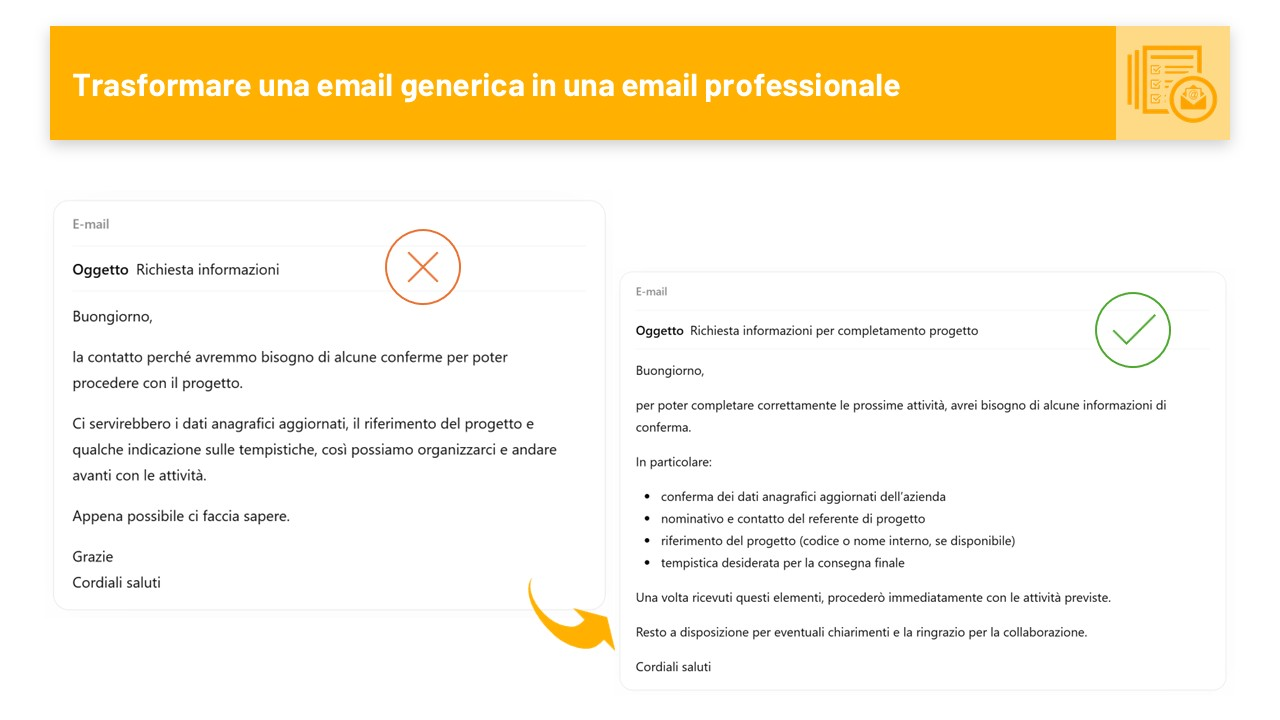
  • Use AI to write emails and documents in minutes
  • Fix poorly written or unclear texts with AI support
  • Transform a draft into an organized and readable text
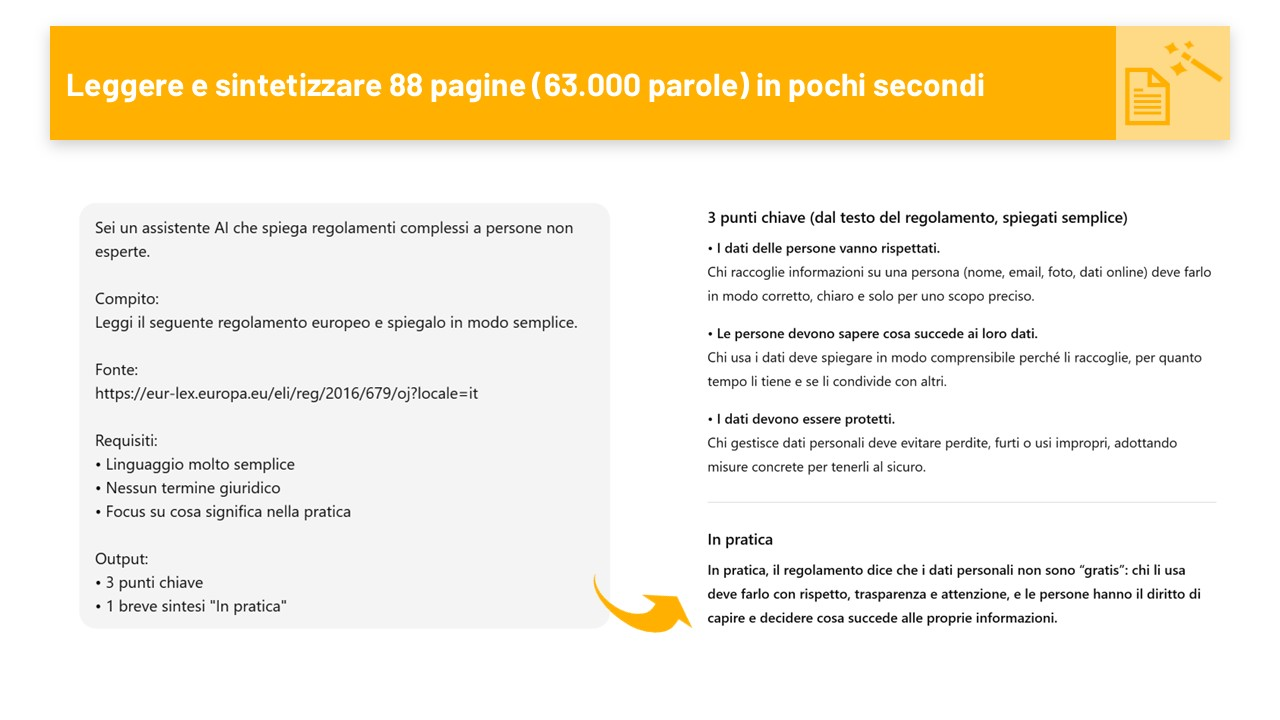
  • Summarize long documents and meetings with AI
  • Respond faster to repetitive requests
  • Write in other languages naturally, without automatic translator effect
  • Organize scattered information using AI
  • Integrate AI into daily work to save time

The course follows a practical method. Each topic is explained with concrete examples and followed by guided exercises to consolidate the skills learned.

  • Course Prerequisites:
  • Basic computer knowledge
  • Daily use of email and documents (Word or Google Docs)
  • No technical or programming skills required
Show More

What you will be able to achieve

Different projects are developed within the course. Here are some from previous editions.

Course Content

  • What AI can do in everyday work
  • When to use AI and when not to
  • Understanding the main AI tools and what they are for
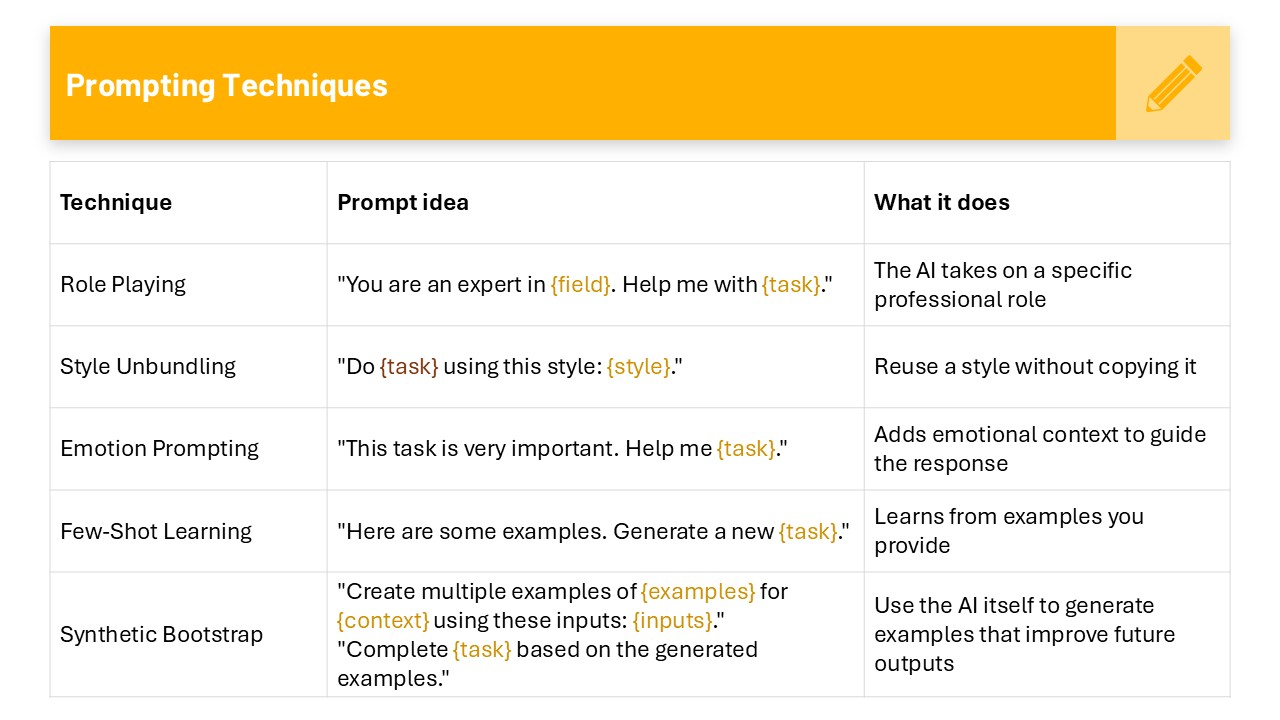
  • Asking AI for things the right way
  • Searching and organizing information from websites or documents
  • Improving results step by step
  • Understanding if an AI response needs to be checked or fixed
  • Using AI in a simple and safe way

  • Writing clear and complete emails with AI
  • Starting from notes or a draft and getting a ready-to-use text
  • Summarizing long documents and meetings
  • Creating summaries and meeting minutes
  • Generating presentation slides from notes or texts
  • Creating simple charts from data and tables
  • Rewriting texts in a simpler or clearer way
  • Writing in other languages with AI naturally
  • Using AI to save time in daily writing
  • Practical Exercises

  • Creating images from a text description
  • Getting images suitable for different work contexts
  • Improving and fixing existing images
  • Understanding the limitations of AI-generated images
  • Using generated images correctly
  • Practical Exercises

  • Preparing AI for recurring tasks over time
  • Creating reusable instructions for common tasks
  • Getting more consistent responses over time
  • Adapting AI to your daily activities
  • Practical Exercises

  • Managing recurring tasks with AI support
  • Preparing structured responses for frequent questions
  • Using AI consistently in repetitive tasks
  • Integrating AI into everyday work
  • Reviewing generated content
  • Automation limits and result supervision
  • Practical Exercises

Upcoming Dates

  • Standard:
  • Dates being updated
  • Evening:
  • Buy and request a date!
  • Weekend:
  • Buy and request a date!

Schedule

  • Standard:
  • 9:00 - 13:00 / 14:00 - 17:00
  • Duration: 1 day
  • Evening:
  • 3 Days/Week  20:30 - 23:00
  • Duration: 1 week
  • Weekend:
  • Sat  9:00 - 13:00 / 14:00 - 17:00
  • Duration: 1 weekend

*All times shown refer to the Rome and Madrid time zone.

Instructor

Barbara Callegari
Microsoft Certified Trainer

With over ten years of experience in Data Analysis, Barbara is a prepared and multi-certified instructor, with solid collaboration as a consultant for national-level companies. She has trained students of all levels, creating tailored paths that respond exactly to each participant's needs and specific client requests. Her courses are practical and oriented towards real operations: not just theory, but tools and techniques applicable immediately in the workplace.

Video Images
Watch the course presentation
You can review and confirm payment in the next step
  • Course Type
  • Available Dates
  • EnrolledMax 5
  • LanguageEnglish
  • Duration7 h
  • CertificateYes
  • Download MaterialsYes

FAQ

Frequently Asked Questions

Find answers to the most frequently asked questions about the courses.

To enroll in the course, go to the tab on the right, choose the course type you prefer (Standard, Evening, or Weekend), select one of the available dates, and click the 'Enroll' button. Fill out the form with all your details, such as first name, last name, email address, and phone number, then proceed with the payment. Once completed, you will receive an email confirming your enrollment along with all the information you'll need for the course.

Live course registrations follow a tiered system with progressive pricing:
  • Early Bird Rate: up to 30 days before the course starts, with a 20% discount
  • Standard Rate: from 30 days before until registration closes
  • Registration Deadline: 5 days before the course starts
We recommend enrolling as early as possible to take advantage of the Early Bird discount and secure your spot, as courses have a limited number of participants.

Usually, you won't find pre-scheduled dates for evening or weekend courses, as these formats are activated exclusively upon request. If you're interested, you can still select the course and proceed with the enrollment just like with any other option. Once your enrollment is complete, I will promptly schedule a date, which will be set with at least 30 days' notice before the course begins, to allow easier planning for all participants. This approach allows me to offer flexible and personalized solutions tailored to the actual needs of the attendees.

The cancellation policy includes:
  • More than 14 days before the start: full refund (100%)
  • From 13 to 7 days before: voucher for the full amount usable for other courses
  • Less than 7 days before: voucher for 50% of the amount
  • No-show without notice: no refund
Right of withdrawal: the 14-day right of withdrawal does not apply once the course has started. For more details, please see Terms and Conditions.

This course is designed with an extremely practical approach: the goal is to help you acquire concrete skills that are immediately applicable in your daily work. It doesn't follow the official course curriculum, but it enables you to master the tool effectively.

However, I am certified in all the tools I teach (including the Microsoft Certified Trainer qualification for Microsoft products) and I am also available to deliver official courses that specifically prepare for certification exams. If you're interested in this path, contact me or write to me at info@numberslab.net for more information.

Yes, the price you see is exactly what you'll pay. There are no additional costs, taxes, or hidden fees. The displayed price includes everything: full course access, learning materials, and certificate of attendance.

For your convenience, I have included specific FAQs in each section of the site, customized based on the topics covered. I recommend also consulting the other pages to find more detailed answers to your questions.

Haven't found what you were looking for? Write to me at info@numberslab.net or use the contact form that you can find here.